For gyms, studios, clubs and trainers
Run your club on POPS
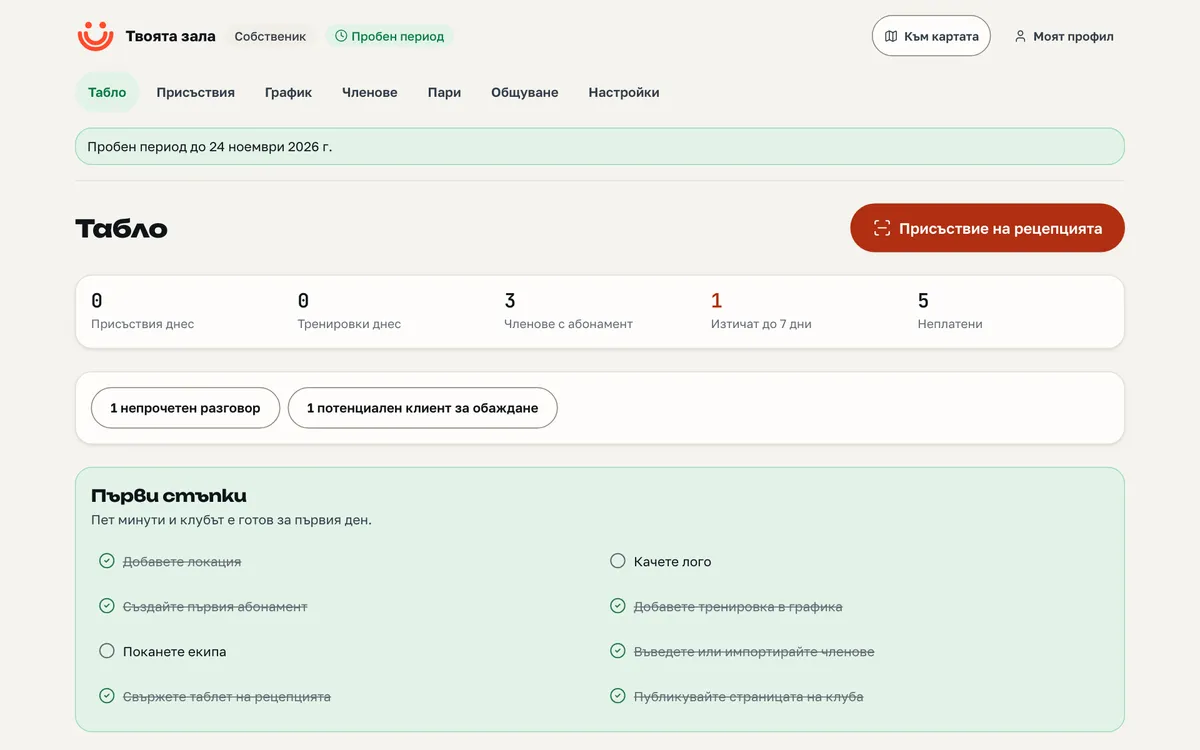
Members, memberships, timetable and attendance in one business management platform. The club page sits on the national map — where people already look for somewhere to play.
- 30 days free on every plan, no card and no commitment
- Then a contract for at least 12 months, invoiced monthly or once a year
- Renews every year; end it with an email at least a month before the term ends
- Export of all your data at any time
Who it is for
One platform for every kind of club
The same tools, arranged around what does the work for you.
- GymAuto-renewing memberships, attendance at the desk and by QR code, retention reports.
- StudioA weekly timetable, bookings and waitlists, session packs, a trial session for newcomers.
- Sports clubChildren and parents on one card, belts and exams, tournaments with tables and ratings, camps.
- TrainerHourly bookings at your prices, a client portal, a page on the map without a website of your own.
A day at the club
From opening to the report
What the platform does while you run sessions — hour by hour. Every label opens the area that does it.
06:45
The door
06:45The door
The first member scans the kiosk QR code with their phone. The check-in is in the platform — and, with consent, in their sports passport.
08:10Someone new
Somebody books a trial session from the club page. They appear as a lead, with a reminder of when to call.
12:00The desk
A one-form sale: member, plan, start, payment. The card is complete, and anything owed shows at once.
17:30The trainer
The roster is on their phone; attendance takes one tap. One did not come — the no-show fee follows your rules.
19:00Automatically
Three memberships expire in a week. The club emails them by a rule you set once; nobody picked up a phone.
21:30The owner
The day is on the dashboard: attendance, revenue, who has not been in for a while. On Monday the week is in your inbox too.
Where people find you
Your club stands in front of the people already looking for somewhere to play
POPS is the national sports map. Your club is on it — not on a separate site nobody visits.
- places for sport on the map
- 6,007
- municipalities with data
- 263
- games this week
- 0
- The club directoryEvery published club is in the directory, filtered by sport and city. The order is by name — a higher plan buys tools, not a higher place.
- The facility pageAt every place you train, its page shows your club and the next sessions.
- The map panelWhen somebody opens the place on the map, they see there is a club there.
Every function
What the business management platform can do
Everything the module does — function by function, nothing left out. The label says from which plan it is included; “soon” means the service is not switched on for everybody yet.
No label: included in every plan.
132 functions in 19 areas
Dashboard
The club’s day on one screen.
Today
The day’s check-ins and sessions, live.
Expiring memberships
Who needs to renew in the coming days.
Unpaid
Open and overdue charges, by member.
Active against the cap
How many active members the club has and how many the plan allows.
“That’s me” claims
Members who want to link their record to their POPS account.
Erasure requests
GDPR requests, so you meet the deadline.
Unread
New messages and inquiries.
To call
The leads it is time to call.
First steps
A list for a new club: location, logo, first plan, first session, team, import, kiosk, publish.
Members
Every member’s card and everything around it.
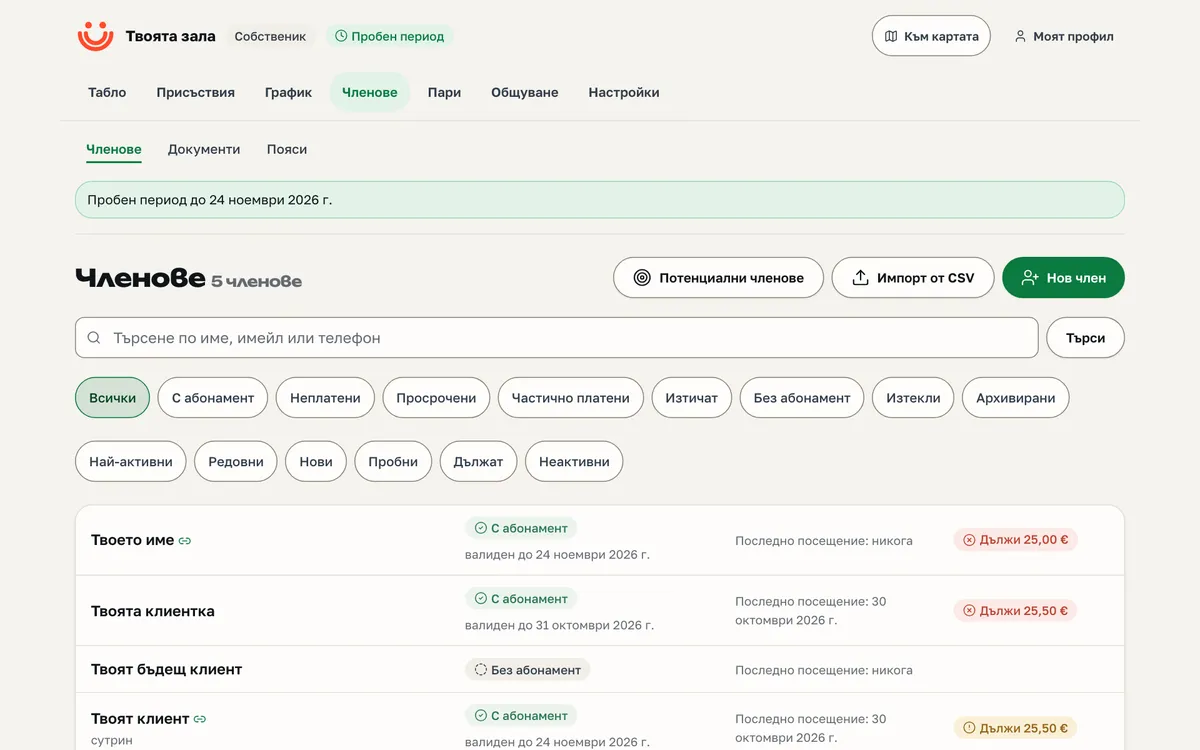
Member card
Membership, payments, visits, documents, belts and history — in one place.
Parent and child
A child is a record under the parent; the parent pays, books and signs.
Segments
Active, expiring, new, inactive — ready lists for work and messages.
Import
From another system or a spreadsheet: a preview, then one commit; a repeated import does not duplicate.
CSV export
Every dataset downloads as a table.
History per member
Who changed what and when — the action log on the card.
Email invitations
An invitation links the record to the person’s account, if they accept.
Link to a POPS account
Always the member’s own choice — the club never links on their behalf.
GDPR erasure
The request reaches you with a deadline; you fulfil it in one step.
Contact consents
Email, SMS and push — per member, with a date.
Memberships and sales
Plans, terms and the sale at the desk.
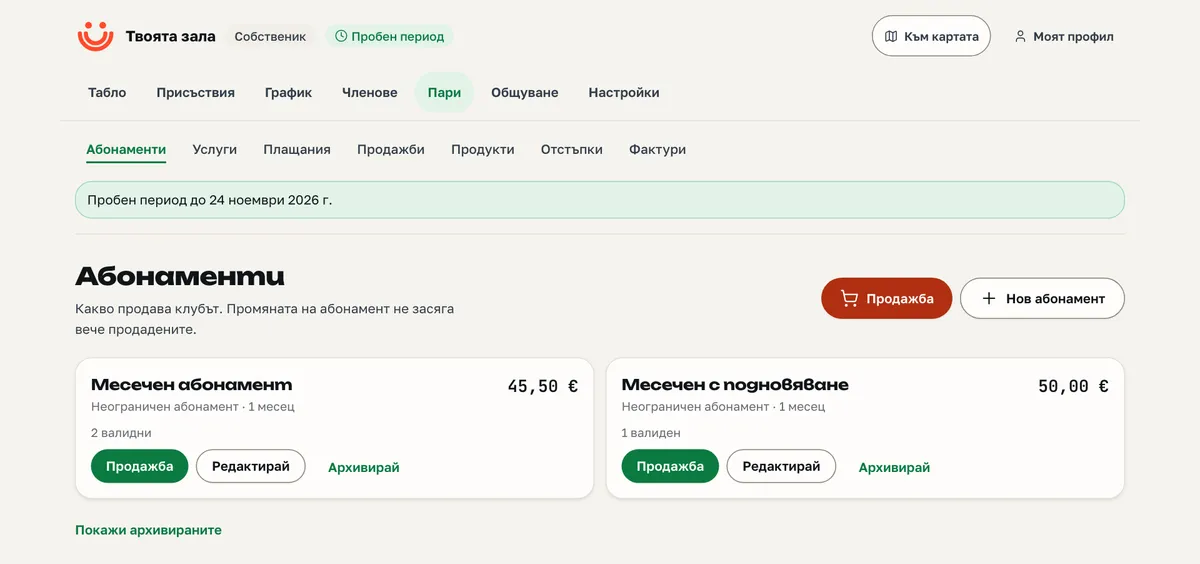
Auto-renewal
A membership that renews itself until the member stops it.
Term and notice
A minimum term and a notice period, recorded on the membership at purchase.
Pause and stop
The member stops renewal or takes one pause — from the portal.
One-form sale
Member, plan, start, payment — one step at the desk.
Buy onlinesoon
Public plans are bought from the club page, by card on Stripe.
Plan cap
The active-member cap is enforced at every sale.
No-show fees
A fee for a no-show and for a late cancel — your rules, recorded on the booking.
Strikes
Strikes are counted; attendance is never refused.
Timetable and bookings
The club’s week and who is coming.
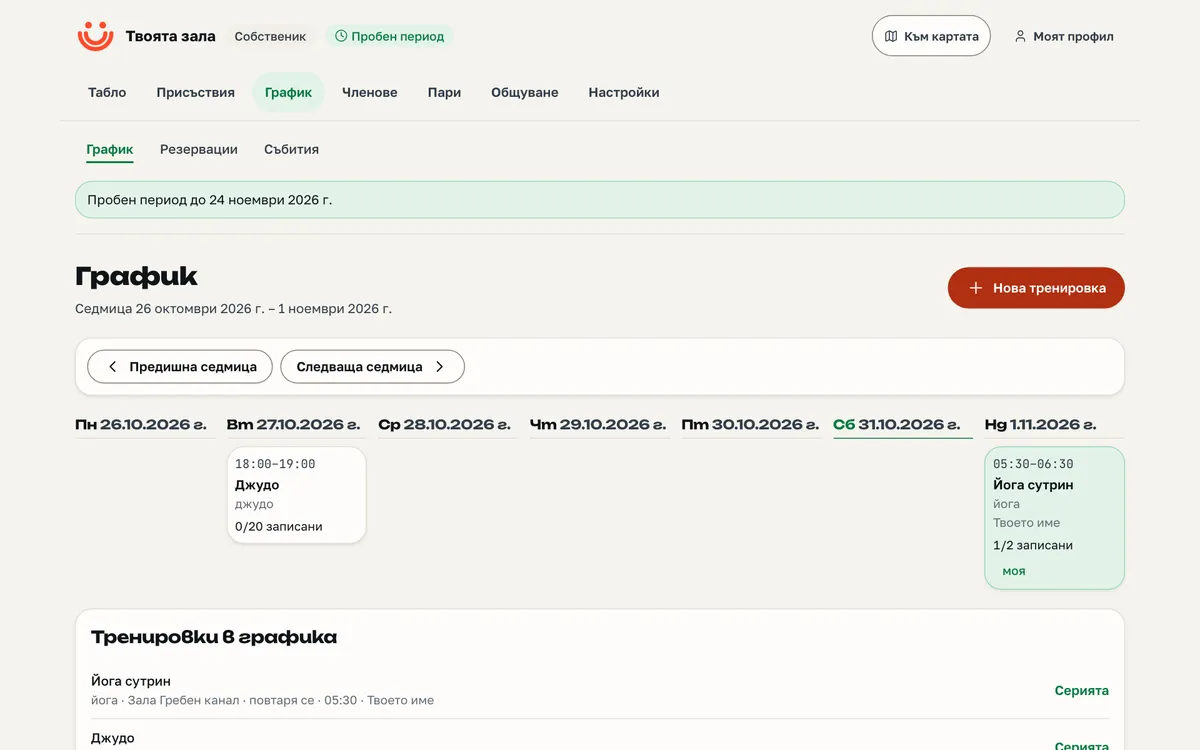
Weekly grid
Every session by day and hour, with places and waitlist.
Recurring sessions
Set the rule once; the timetable fills eight weeks ahead.
Bookings and waitlist
The waitlist is by arrival; a freed place goes to the next in line.
Trial session
One per person, from the club page — and a lead at once.
Roster
The trainer sees who booked and marks attendance.
Cancel with notice
A cancelled session notifies everyone booked by email (and push, where switched on).
Trainer calendar
A personal calendar feed with their sessions.
Attendance
Four ways to check in. None of them refuses.
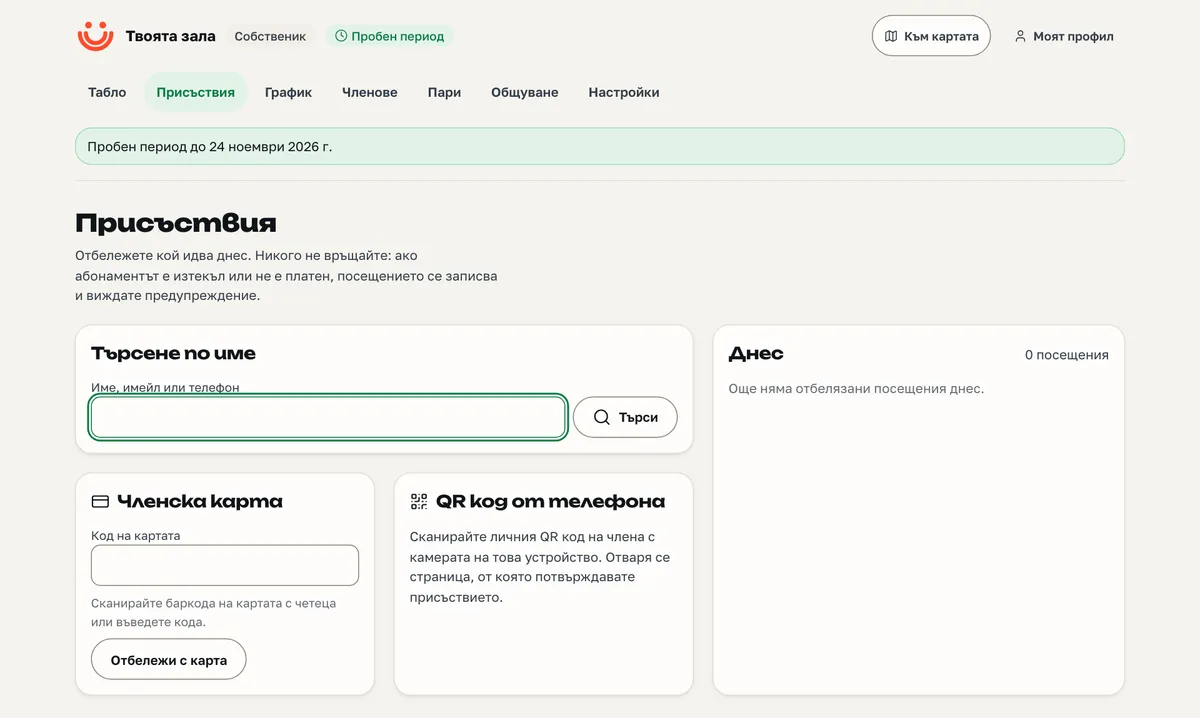
Desk check-in
Search by name, one tick; works without JavaScript too.
Barcode card
A printed member card, read at the desk.
Personal QR code
In the member portal, rotating; scanned at the desk.
Kiosk tablet
A tablet at the door shows a rotating QR code; the member scans it with their phone.
Door accessProsoon
A door controller asks POPS whether to let someone in.
Never refused
An unpaid visit is recorded and the desk is told — nobody is left at the door.
Into the sports passport
A QR or card visit goes into the member’s passport, if they consented.
Courts, rooms and services
Hourly bookings, at your prices.
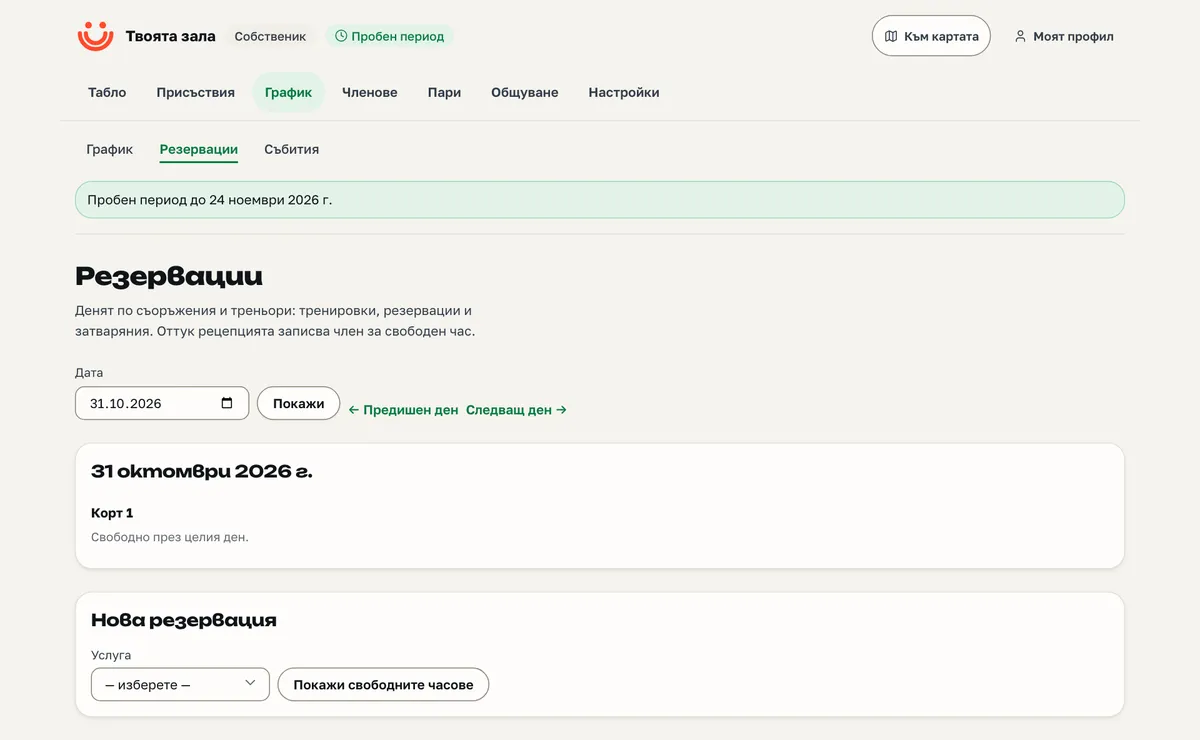
Resources
Courts, rooms and equipment with opening hours and closures.
Services
Per hour or per booking, with capacity and audience.
Peak and member prices
A printed table: when it costs what, and for whom — no black box.
Booking from the page
The client picks a free slot on the club page.
Hold while paying onlinesoon
The slot is held for 35 minutes while the client pays on Stripe.
Window and deadline
How far ahead one can book, and until when one can cancel without a fee.
No double bookings
Impossible by construction — not by a check in the app.
Events and tournaments
Camps, competitions and everything with tickets.
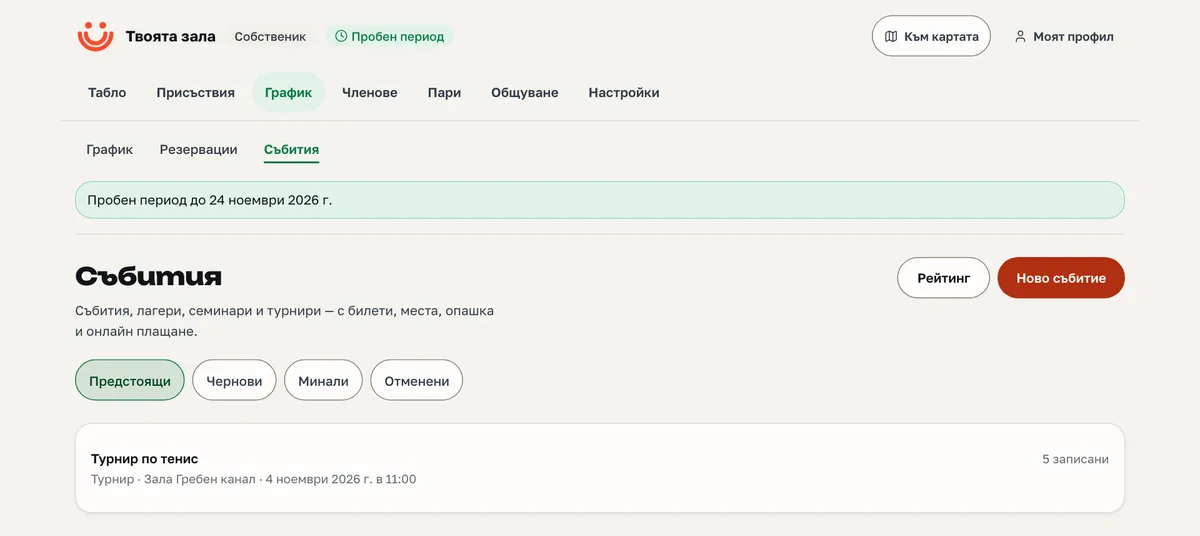
Events, camps, tournaments
One-off or multi-day, priced or free.
Tickets and waitlist
Seats by order of registration; the waitlist moves up by itself when a seat frees.
Held seatsoon
A seat paid online is held while the client pays.
Brackets and tables
Draw, knock-out or round robin — the tables are kept in the platform.
Rating per sport
An Elo rating of the entrants, per sport, from recorded results.
Calendar download
An .ics file for every event.
Names only by consent
An entrant appears by name in public only if they decided so.
Payments
Your Stripe, your money.
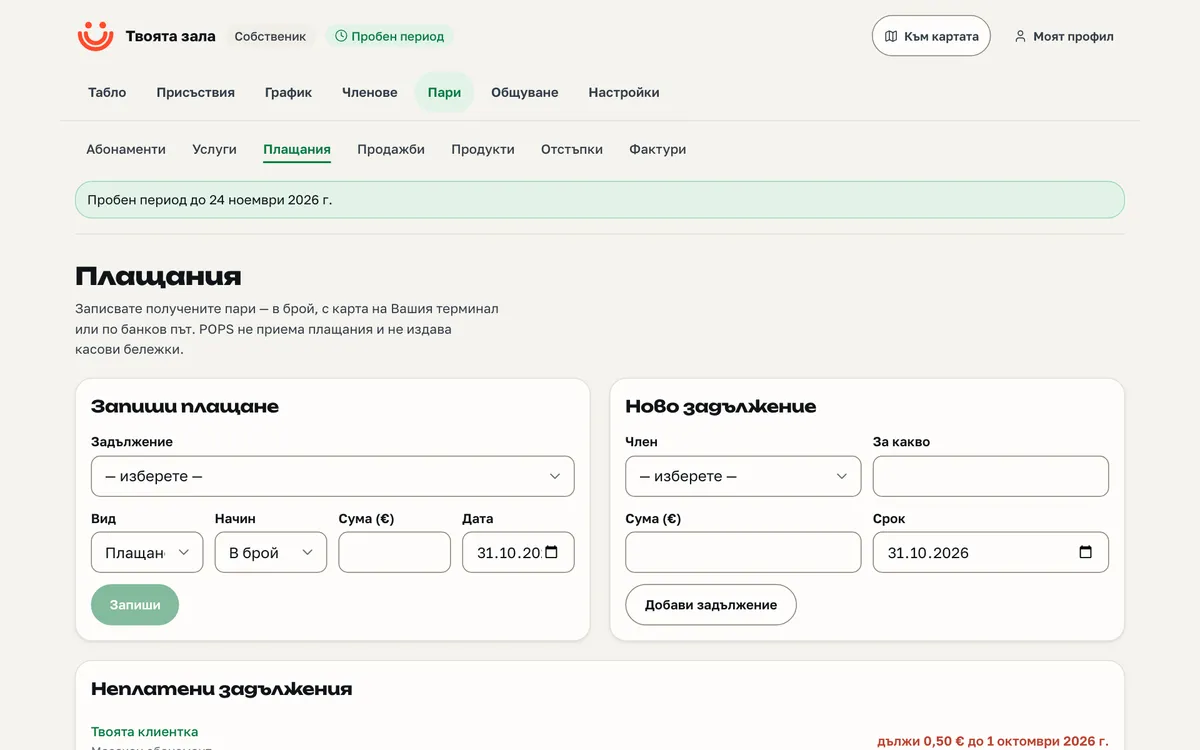
Your own Stripesoon
You connect your own Stripe account (Connect Standard). The money goes to you.
Pay from the portalsoon
The member pays open charges by card, on a Stripe page.
Renewing membershipssoon
An auto-renewing membership is a Stripe subscription.
Refundssoon
From the payments screen; a full refund closes the charge.
Owed, partial, overdue
Derived from the payments — no manual statuses.
POPS holds no funds
We see no cards and hold no money. The association is not a party to the payment.
Till, products and credit
Sales at the desk and prepaid balance.
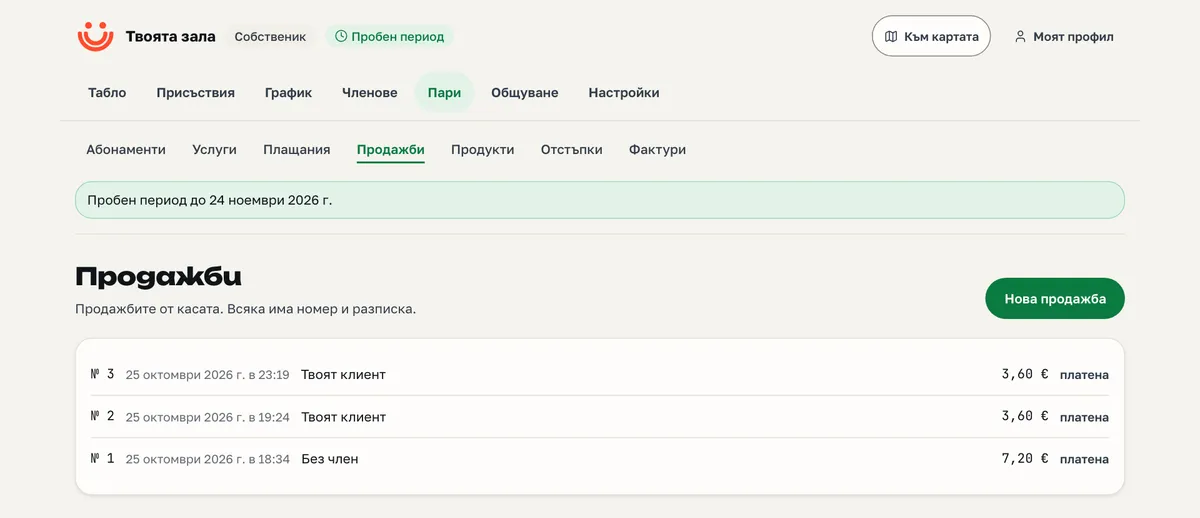
TillStartsoon
A sale at the desk with a receipt. The receipt is not a fiscal one — the club uses its own fiscal device.
Products and stockStartsoon
A product catalogue and a stock ledger.
PromotionsStart
A code or an automatic discount — percent, amount or fixed price; the struck-through price shows on the page.
Gift vouchersStart
A voucher bought and given away.
Prepaid creditStart
Top up at the desk or online; spend at the desk and the till.
Invoices
Invoices and credit notes from the platform.
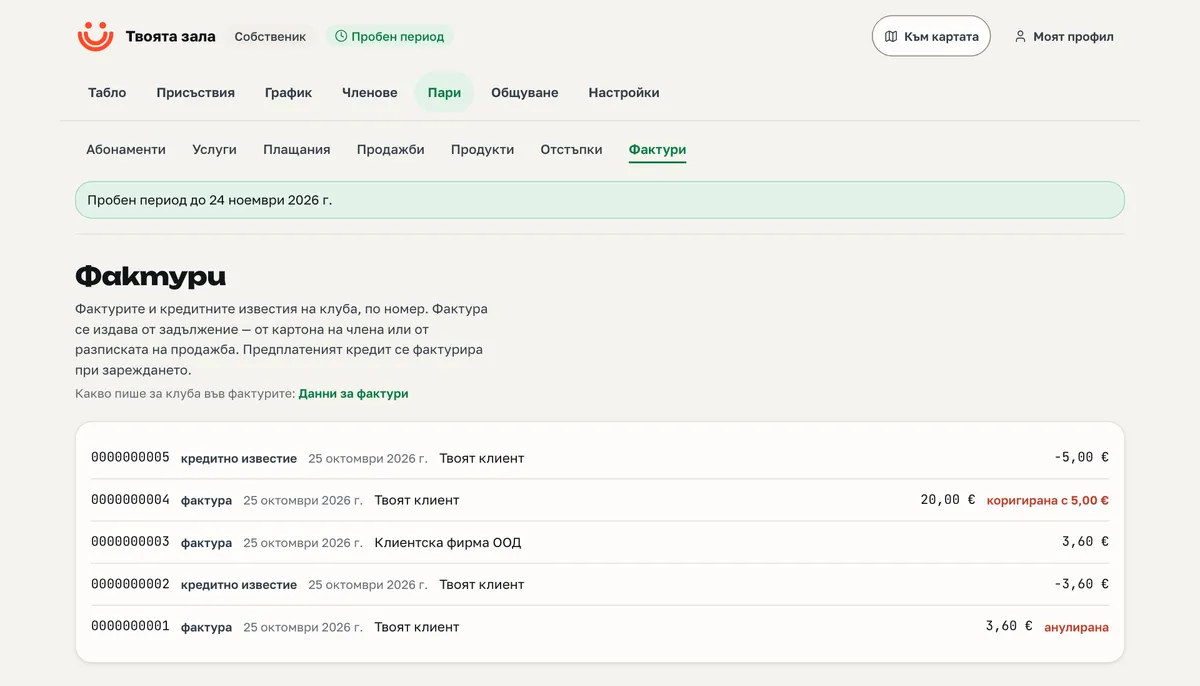
Invoices and credit notesStartsoon
Gapless numbering that cannot be broken or swapped.
Issuer and buyer detailsStartsoon
Your company details and the client’s on the document.
VAT by rateStartsoon
Net prices and VAT per rate, as the law requires.
Zero rate with a basisStartsoon
An exempt supply is marked with its legal basis.
Messaging
To the members, when needed and as much as needed.
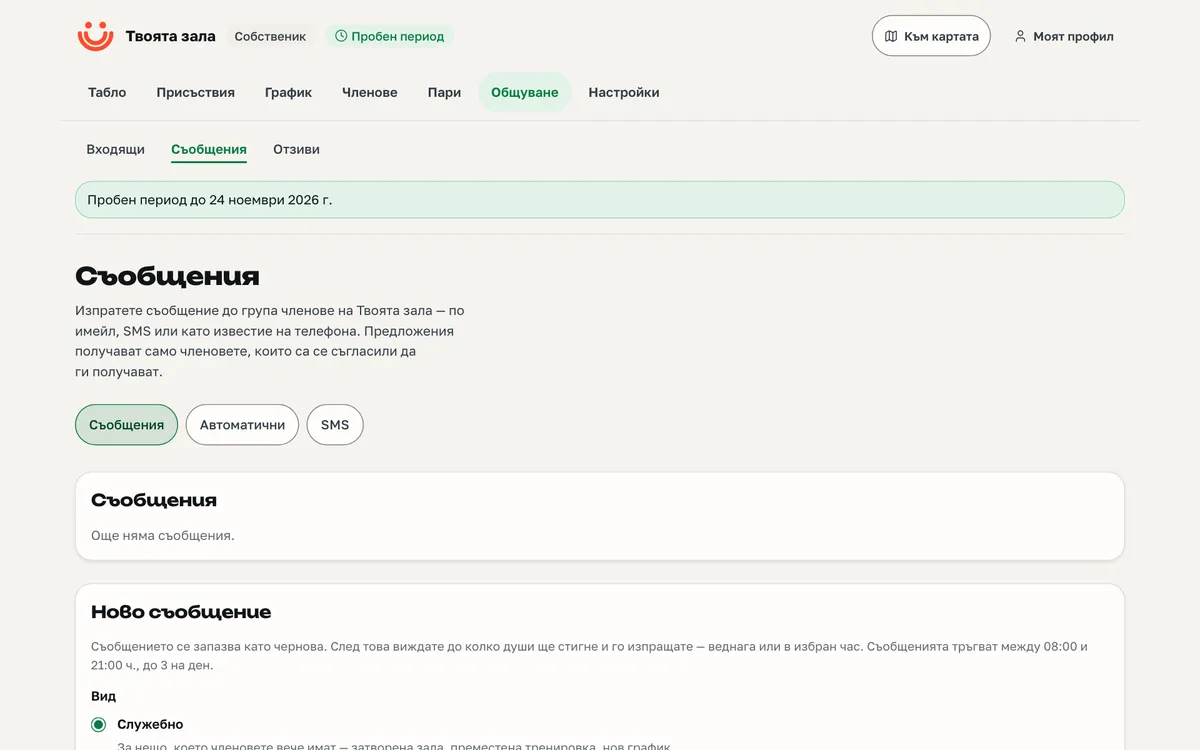
BroadcastsStart
To a segment of members, by email or SMS, within the allowed hours.
AutomationsStart
Welcome, expiring membership, after a first session, a review request — by event.
Email and pushsoon
Notifications arrive by email and as push on the phone — in every plan.
SMSStartsoon
Through a European provider, with a monthly cap; the cost is accounted to the club.
33 kinds of notice
Confirmation, promotion from the waitlist, a reminder 24 hours before, cancellation, expiry, payment and more.
Only from the server
Nothing is sent from a screen — everything runs on schedule, with no duplicate mail.
Inbox and leads
Conversations, and the people who are not members yet.
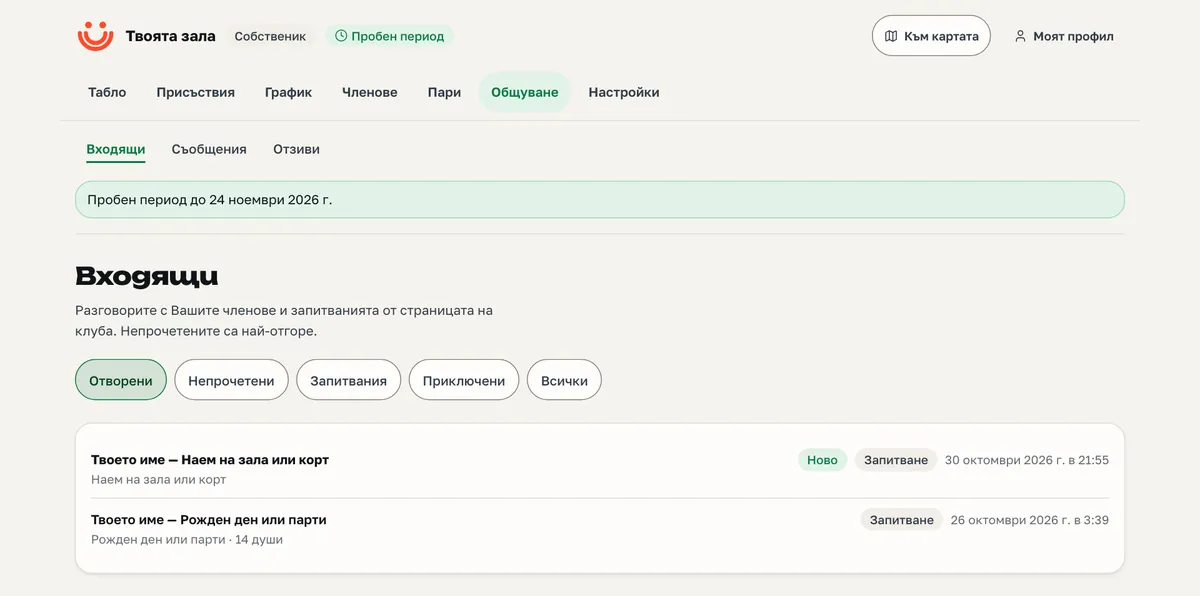
Conversations with members
Messages to the club and the replies — in one thread.
Inquiries from the page
For a hall, an event, a group, a party or a camp — each opens a conversation.
Lead pipeline
The stage is derived from actions: trial session, first visit, sale.
Call tasks
When to call and whom, so nobody slips through.
ReviewsStart
A rating after a session, per trainer; a Google link after every rating, no filtering.
Documents and belts
Signatures and progress.
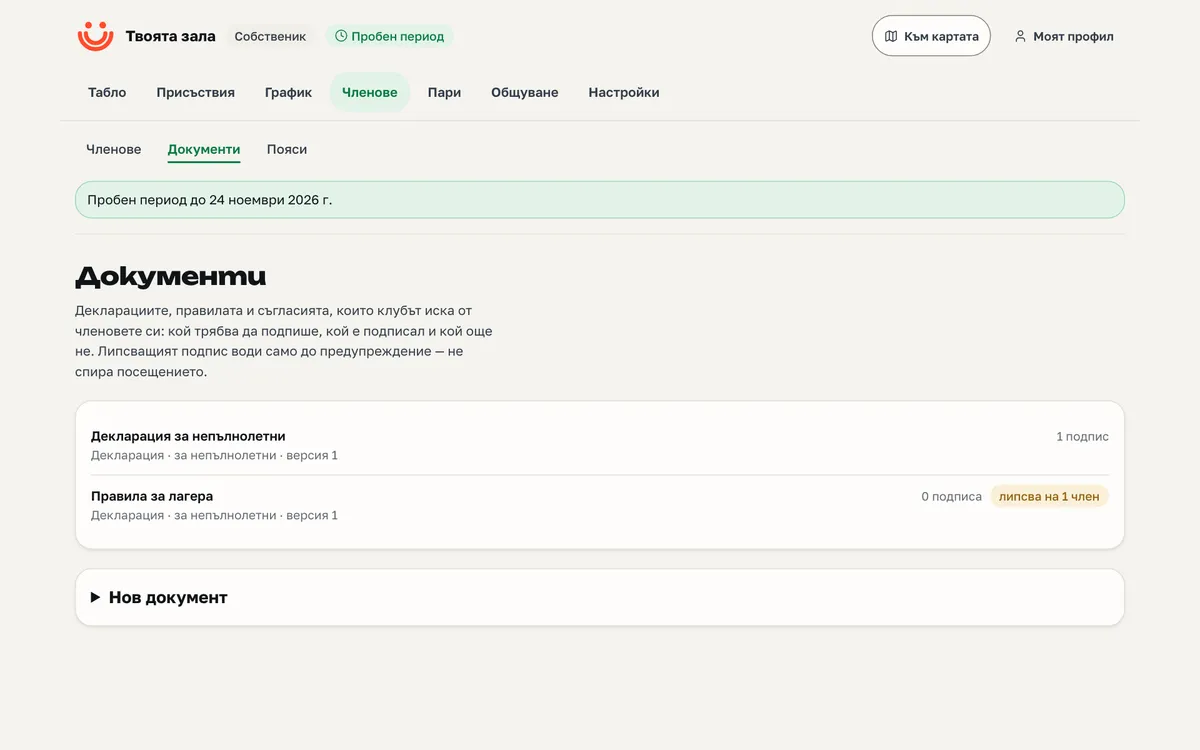
Versions with a fingerprint
Waivers and contracts with versions and a cryptographic hash.
Signing
From the member portal or at the desk with a witness.
Parent for a child
The parent signs for the child; the child may sign too.
Missing documents
A list of who has not signed what yet.
Belt ladders
The belts per sport, in your order and colours.
Exam readiness
Visits since the last belt — who is ready.
Exam day
Awarding the next belt to a whole group.
Reports
Numbers with printed definitions.
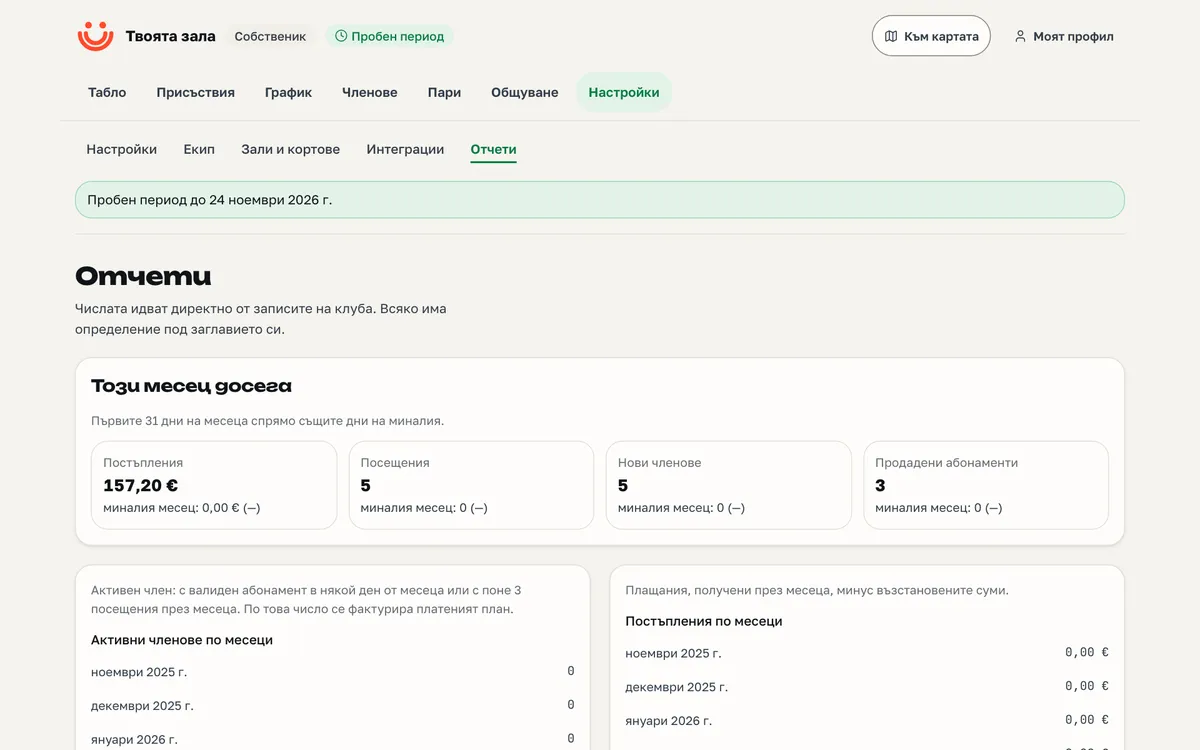
A definition for every figure
Every report says how it was computed.
CSV of every dataset
Everything downloads as a table.
Advanced reportsStart
Peak hours, retention, churn, revenue by plan, top clients.
Engagement scoreStart
Per member, with every point explained — never a black box.
Trainer payStart
A statement by sessions and rules for every trainer.
Team
Roles, invitations and pay.
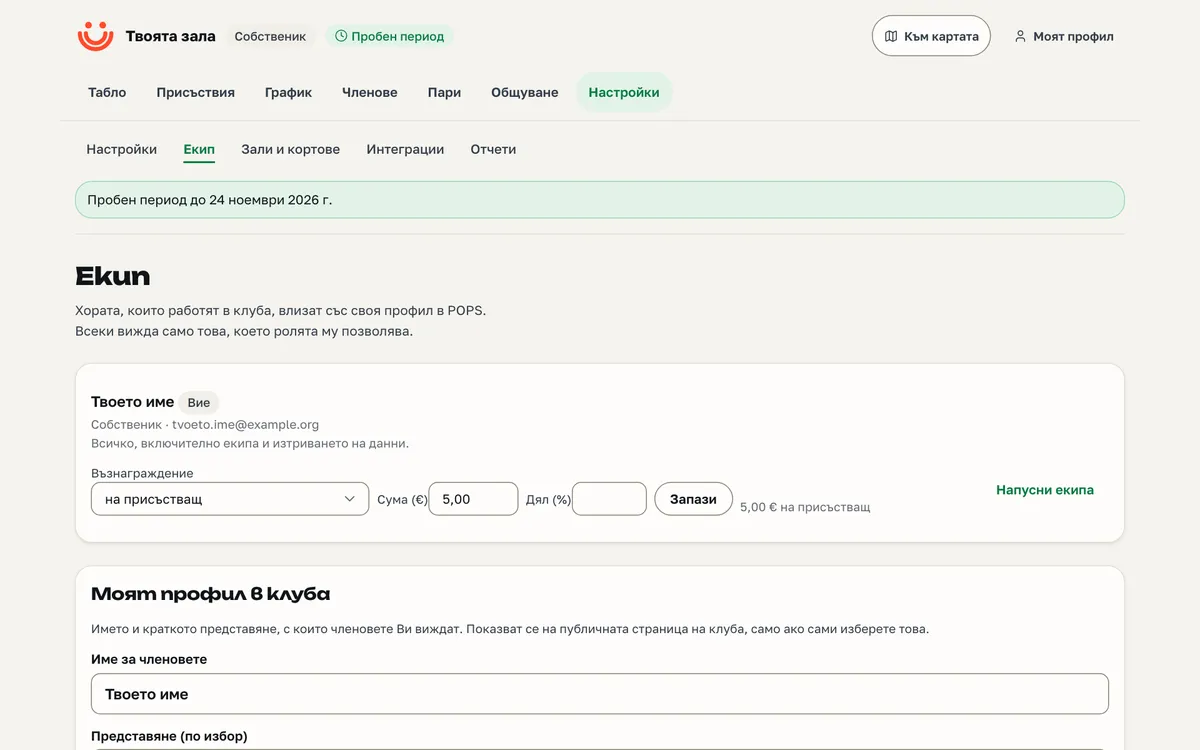
Four roles
Owner, manager, trainer, desk — each sees only its own.
Email invitations
A new team member joins by invitation.
Trainer payStart
Pay rules and a monthly statement per trainer.
Time off
Every trainer’s time away.
Public trainer profile
With a biography on the club page.
Owner mail
A weekly summary and a monthly club-health report.
The club page
The website you already have.
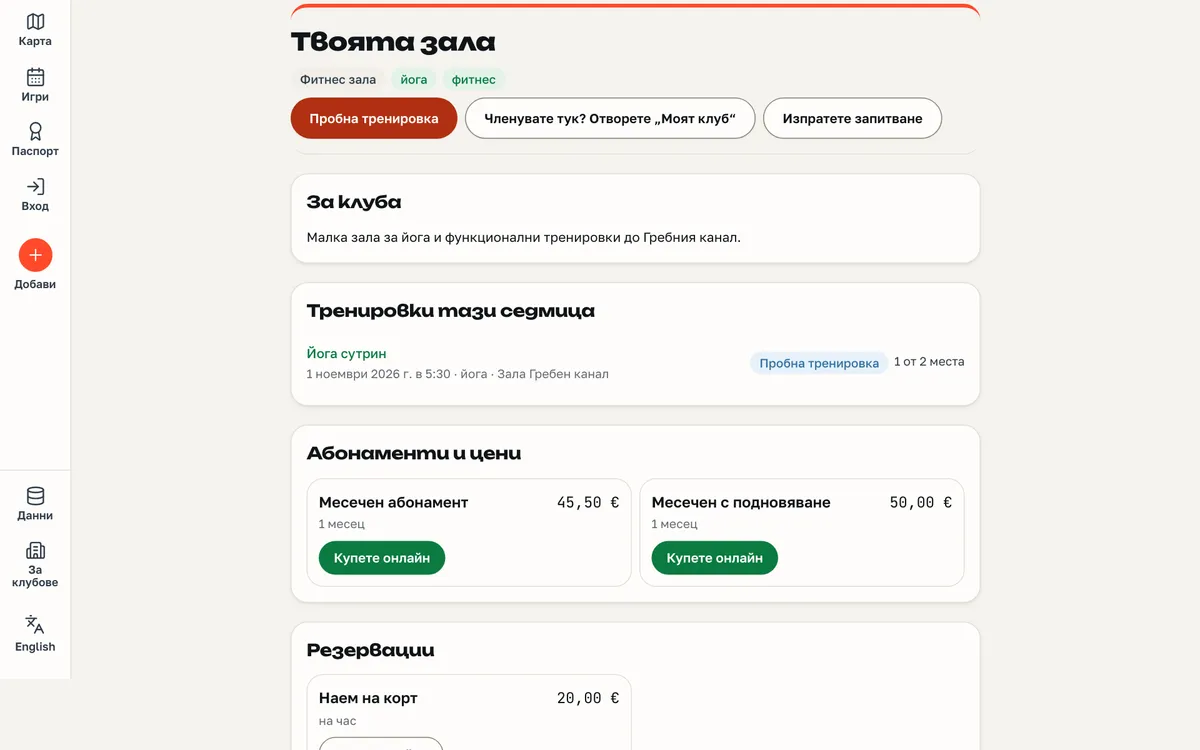
A page on POPS
Timetable, prices, trainers, events and contact at pops.bg/klub/your-name.
Short link
pops.bg/k/your-name — for flyers and bios.
Logo and colour
Your logo and accent colour on the page.
Description and FAQ
Text about the club and answers to common questions.
Locations on the map
The places you train, linked to the map’s facilities.
Embed without a scriptStart
Timetable and prices in your own website — no JavaScript, no cookies.
Installable app
The club page installs on the phone as an app, with your name and icon.
Google Analytics and Meta PixelStartsoon
Your IDs, only on your pages, only with the visitor’s consent.
The member portal
What a member sees on their phone.
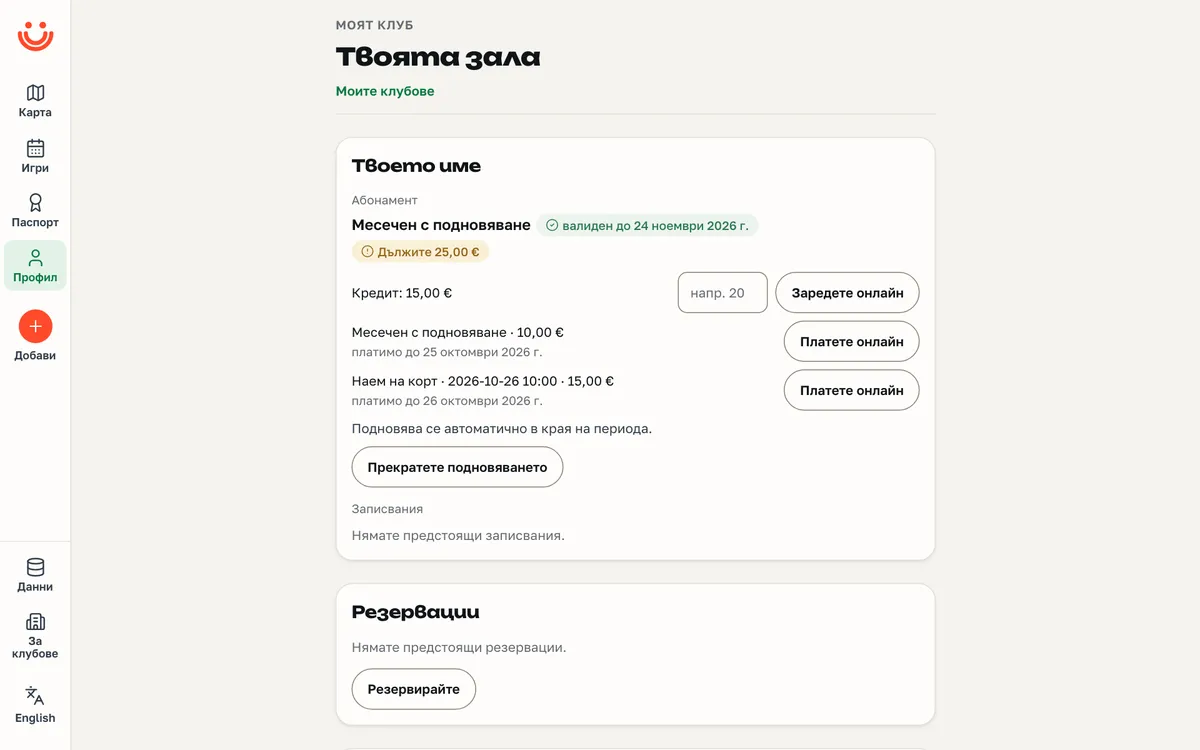
Membership in words
What they have, until when and what comes next — no code.
Bookings
For sessions — for themselves and for a child.
Buy and paysoon
A new membership or an open charge, by card.
CreditStart
Balance and online top-up.
Reservations
Courts, rooms and trainer slots.
Events
Tickets and seats.
Personal QR code
For checking in at the door.
Conversation with the club
Messages to the desk and the replies.
Documents
Signing waivers and contracts.
Belts
Current belt and progress to the next.
ReviewsStart
Rating the session and the trainer.
Consents
Contact, passport, stopping renewal — by the member themselves.
Push notificationssoon
Switched on from the portal, for the member’s phone.
GDPR data
Export and an erasure request — from the portal.
Integrations
For clubs that connect their own systems.
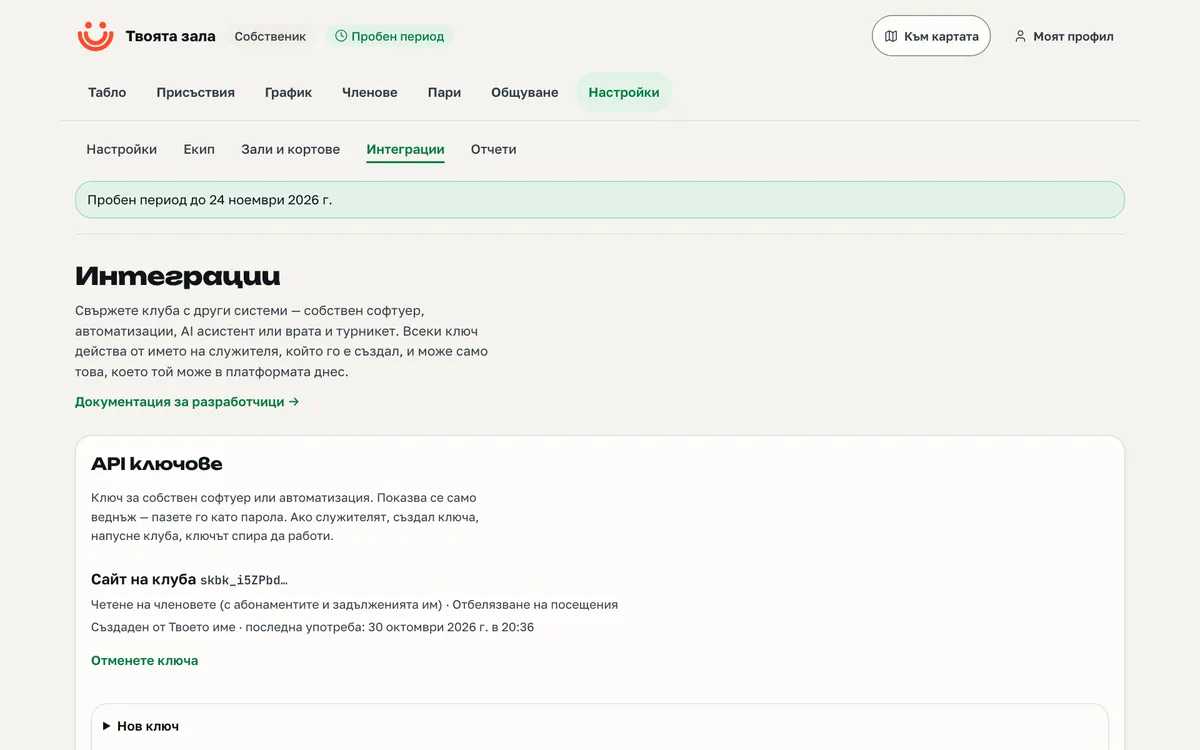
API keysProsoon
Scoped, acting on behalf of whoever created them.
WebhooksProsoon
The club’s events, sent to your address.
Your AI assistant (MCP)Prosoon
Connect your own assistant; POPS sends nothing to any AI provider.
Door controllersProsoon
The door asks POPS whether to let someone in.
DocumentationProsoon
A description of everything in the platform.
Security and data
You are the controller. We process.
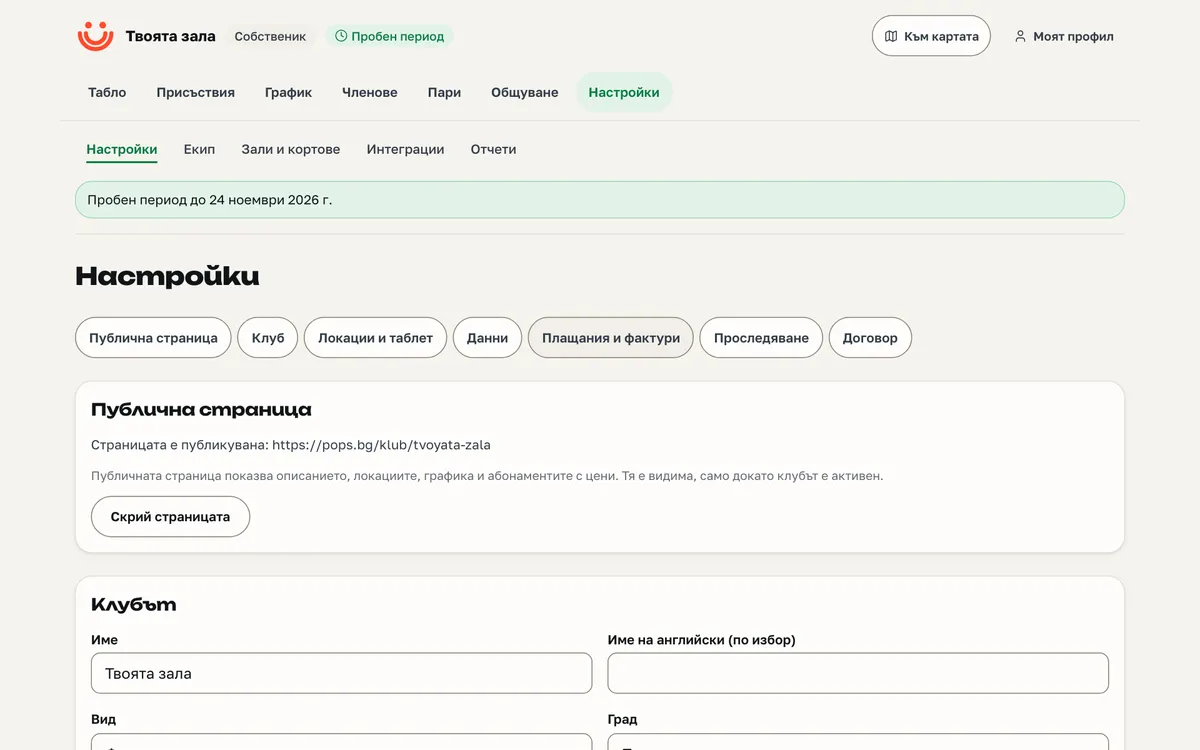
You are the controller
The club is the controller of its members’ data; POPS processes it on the club’s behalf.
Action log
Everything the team does — including whether anyone from POPS entered your club's platform.
No date of birth
Stored nowhere; a child is a record under the parent.
No tracking
POPS does not track or profile your members.
Export everything
All the club’s data downloads at any time.
After closing
90 days to export, then deletion.
Only on POPS
What you will not find elsewhere
A business management platform — plus the map where people already look for somewhere to play.
- People find youA directory, a block on the facility page and a chip in the map panel — no paid ranking.
- The sports passportVisits to you go into the member’s passport, with consent — a reason to come back.
- You pay an associationPOPS is a non-profit association: your fee keeps up the national sports map your new members come from too.
- No trackingThe club is the controller, POPS processes; no date of birth, no trackers.
- Bring your dataFrom another system or a spreadsheet, with a preview before the commit.
Prices
Three plans, one platform
Every plan includes the whole base platform. The higher ones add tools — not a higher place in the directory.
Basic
For trainers and small clubs.
€49.99per month
30 days free, then a contract for at least 12 months.
Up to 50 active members.
Start for freeStart
RecommendedFor gyms and studios with a desk and a till.
€99.99per month
30 days free, then a contract for at least 12 months.
Start for freePro
For chains, large clubs and anyone connecting their own systems.
€149.99per month
30 days free, then a contract for at least 12 months.
Start for free
Prices are per month. Every plan starts with a free 30-day trial. After it, the contract runs for at least 12 months and renews every year; invoices are paid by bank transfer — monthly or once a year, as you choose.
| What each plan includes | Basic | Start | Pro |
|---|---|---|---|
| Members, parent and child, segments, import and export | included | included | included |
| Timetable, bookings and waitlist | included | included | included |
| Attendance: desk, card, QR code, kiosk | included | included | included |
| Member portal | included | included | included |
| Email notifications | included | included | included |
| Push notificationssoon | included | included | included |
| Basic reports and CSV | included | included | included |
| Documents and signatures | included | included | included |
| Belts and ladders | included | included | included |
| Events and tournaments | included | included | included |
| Courts, rooms and services | included | included | included |
| Online payments through your own Stripesoon | included | included | included |
| Inbox, inquiries and leads | included | included | included |
| Club page and a place on the map | included | included | included |
| Advanced reports | not included | included | included |
| Team pay | not included | included | included |
| Embedding in the club's site | not included | included | included |
| Products and tillsoon | not included | included | included |
| Promotions and vouchers | not included | included | included |
| Prepaid balance | not included | included | included |
| Invoicessoon | not included | included | included |
| Messages to members | not included | included | included |
| Automated messages | not included | included | included |
| SMSsoon | not included | included | included |
| Ratings and reviews | not included | included | included |
| Google Analytics and Meta Pixelsoon | not included | included | included |
| APIsoon | not included | not included | included |
| Webhookssoon | not included | not included | included |
| Connecting an AI assistant (MCP)soon | not included | not included | included |
| Door access controlsoon | not included | not included | included |
How it works
From the application to the first invoice
No salesperson, no sales call. You fill in an application, we review it, the platform is yours.
- ApplicationTwo minutes with a POPS account: name, kind, plan, municipality, sports.
- ReviewUp to two working days. Meanwhile the platform is open to look around.
- Trial30 days free on every plan, no card needed.
- ContractFor at least 12 months. Invoiced by bank transfer — monthly or once a year.
Move in a day
If you already use another system, the move is three steps.
- ImportUpload the members from another system or a spreadsheet; review and commit.
- TeamInvite the trainers and the desk with one email each.
- PublishLogo, timetable, prices — and the page is on the map.
Questions before you start
What owners ask
How does the trial work?
You choose a plan and use it free for 30 days, with everything it includes, no card and no commitment. Before it ends we write to you. To continue, we sign a contract for at least 12 months, invoiced by bank transfer — monthly or once a year. If you do not continue, you owe nothing.
Who holds the money from payments?
You do. Payments at the desk are recorded in your platform. Online payments — once switched on — go through your own Stripe account; POPS sees no cards and holds no funds.
Do my members need a POPS account?
No. The member’s record lives in your platform. Linking to a POPS account is the member’s choice — then they get a portal, a QR code and a passport.
How are children handled?
A child is a record under the parent: the parent books, pays and signs. A date of birth is stored nowhere.
I use another system. How do I move my data?
With an import from another system or a spreadsheet: you see what will be written before it is written; a repeated import does not duplicate.
Can I end the contract?
Yes, at the end of a term. The contract runs for at least 12 months and renews every year unless you write to us at least a month before the current term ends. The trial commits you to nothing. Data downloads at any time; after closing you have 90 days to export, then we delete it.
Do I need a fiscal device?
Yes, your own. The till in POPS issues a receipt that is not a fiscal one; the fiscal receipt comes from your device.
What happens if I pay late?
For two weeks everything works with a warning. Then the platform becomes read-only and the page is hidden until you pay — nothing is deleted.
I am a trainer without a hall. Is this for me?
Yes. Hourly bookings at your prices, a client portal and a page on the map — from the Basic plan up.
Your club's management platform is ready
The application takes two minutes. 30 days free on every plan.